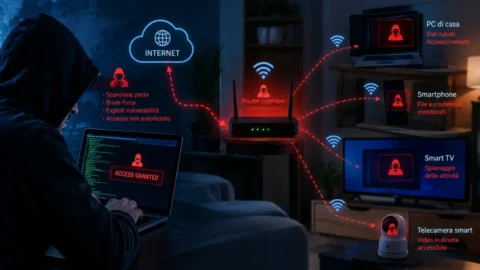

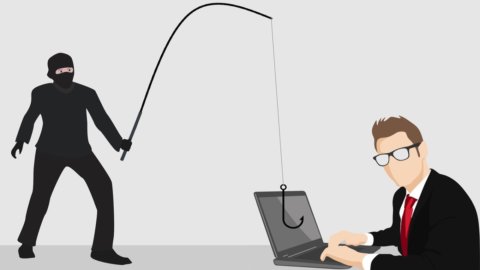
The Web multiplies its traps, also thanks to Covid. PCs leave the protected environment of offices, networks open up to the thousand streams of widespread connectivity. Someone takes advantage of it. And remote computer security is at risk, more than yesterday and perhaps less than tomorrow. The pitfalls are growing alarmingly, experts warn: the "Phishing” of fraudulent emails that scrutinize personal data, viruses that “hook” on the programs we download or even simple Web pages that we recklessly open without knowing where we are browsing. In the office they save us (not always) the company proceduresmanaged by professionals. At home we are less safe, because we are less protected but also because we are bloody careless. The pitfalls increase, but fortunately the tools to defend themselves also increase. Provided you take the necessary precautions to prevent the worst.
In this quick guide, here are two examples of what can happen and how we should, or should, behave. The first example concerns the attack: here is the latest trap that has spread with great speed in the world of the Internet by exploiting the famous and widespread Microsoft Office. The second example concerns defense: here is a test available to everyone to check how much we know about computer security and what we must do (or not do) to raise the barriers.
We immediately anticipate the conclusions. A good practice of personal computer security first of all requires two things: keeping the entire ecosystem of our computer constantly updated (the hardware, the operating system and the software, i.e. the programs) and using a conscious caution, both when we open e-mails whose origin we do not know with absolute certainty and when we browse non-certified sites or from our past experience or with other systems that we will illustrate below.
Deception disguises itself as Office
Woe to responding too casually to a login request, typically contained in a e-mail message with an attachment (a payment notice or an invoice, false) that reproduces the one used by Microsoft to access its products. The scam, a "phishing" packaged rather well because the procedure was able to evade many anti-malware control mechanisms, including those of companies, began to spread last August and is still going on. It's a classic identity theft attempt, like so many others. The victim inserts his own credentials which feed the fraudulent database of the pirate organization, which would have so far collected at least a thousand access credentials to Office 365 used at a professional level. Not only that: the pirates with the occasion would have collected a good number of even more delicate credentials: those for theaccess to corporate systems, as many users carelessly use the same credentials for multiple accounts. A practice that should be avoided in the most absolute way.
Even the pirate is wrong (maybe)
The only apparently consoling, but actually even more worrying, fact is that the fraud emerged because some IT security experts discovered that the attackers themselves made a mistake. In fact, they have published on the Web a part of the lists of users and related stolen passwords, without using the hiding places of the so-called "dark web”, automatically activating Google's indexing algorithms and thus allowing everyone to search and consult the loot. The message is disturbing: the pirates were discovered because they let themselves be discovered, and if they hadn't made a mistake (perhaps deliberately, to test who knows what even more sophisticated procedures themselves) the fraud would have remained hidden for a long time to come. We learn the lesson: in addition to Differentiate login credentials of the various services (company accounts, banks, etc.) let's change them with a certain frequency, and in any case immediately if we have even a vague suspicion that they may have been stolen.
A test and a parachute
Among the thousands of precautions that should always be taken to face and prevent attacks, we indicate two, which can be considered the basis for a good practice: the way to check the "cleanliness" and security of the website we want to consult (losing a few seconds before clicking on it, but it's worth it) and a test to understand at what point our knowledge of computer security is, on its pitfalls and on the countermoves to adopt. Let's put it this way: the hot check of the site unknown to us represents a first level defense (together with the differentiation of the access codes for the various services) that it would be good to implement always and in any case, while the test can help us to get in line with a combined series of expedients and above all of attitudes to keep.
Unknown site? Better investigate
If we have installed total protection software on our pc, which also includes real-time analysis of the web pages we consult, we can consider ourselves decently protected in our browsing. But we still need to know two things: the program that shields us must be kept constantly updated because it contains the latest "signatures" of the procedures to be adopted and of the sites to be considered dangerous; however, software of this kind is rather heavy for our computer and for our connection, in the sense that they increase the amount of data we consume and tend to slow down navigation because they use a greater amount of data to be exchanged on the network but also because they slow down the operation of our PC occupying a part of the processing resources.
An online help
If we don't use this type of software, it is a good idea to still use (even at the slightest suspicion) the resources that the web itself makes available to us online, by accessing one of the services that check in real time the validity of the site we want to go to. Among the "controller" sites we indicate one that works quite well: URLVoid. It works like this: in the mask that opens, we insert the name of the site where we want to go without the initial www, we give the ok and wait a few seconds for the response, after our "target" site has been scanned simultaneously by the main antivirus and anti-malware engines of the globe, communicating the result to us. Everything is certainly fine only if the green color appears, while if only one of the results associated with the antivirus search engines included in the scan turns red, it could be a false positive: however, it is advisable to be cautious, avoid browsing on the scanned site and maybe try again later.
Let's give ourselves a self-examination
We come to the test to test our good, or bad, computer habits. One of the most effective online self-test procedures, according to up-to-date expert assessments, is the National Privacy Test made by NordVPN, a good provider of vpn services. The test is in English, but it is simple and clear. It is not aimed only at those who are already experts but it is understandable and practicable (a fortiori) by everyone. It only takes a few minutes, after having clicked on “start”, to reply to 20 questions key and have the related answers, which concern among other things the awareness and consequences of the permissions we grant to applications on the sharing and use of our data, what should be done when an application notifies us of the availability of an update, such as check and improve the security of our WiFi network, how to pack a sufficiently secure password, how to understand if a site that contains requests for sensitive information can in turn hide the masked identity of a pirate, how to verify that our smart TV does not contain spy functions (this also happens), and of course how to identify them and how to defend yourself against a phishing attempt. Let's study and apply ourselves at least a little. It's convenient.